
Design Sessions
KinwovenArt & Design
4.928.00 Reviews
- Version
- 10.200.1
- Installs
- 10.00K
- Age Rating
- Everyone
Screenshots

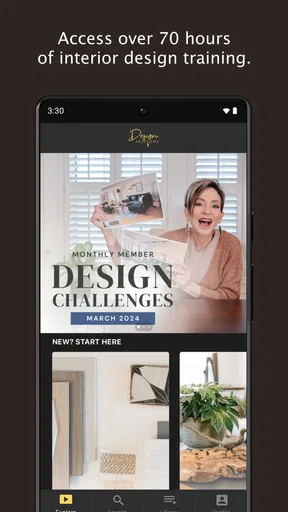
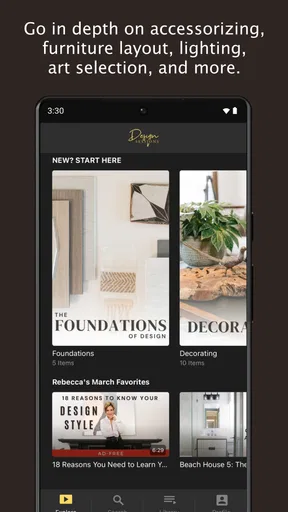
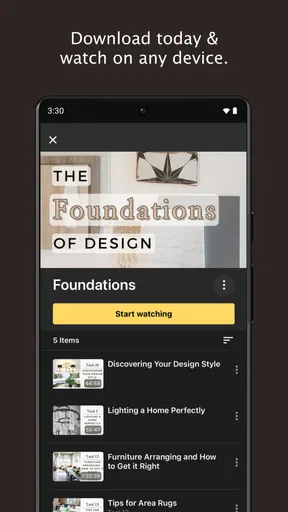

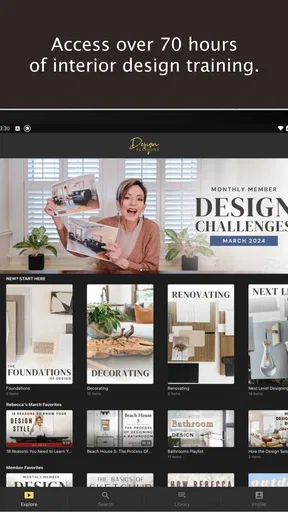
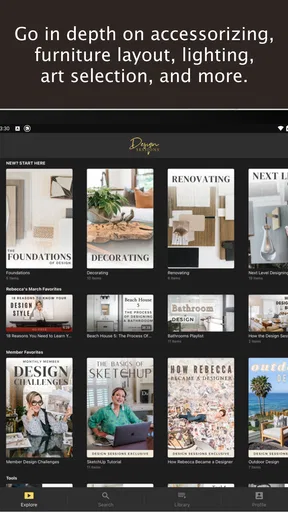
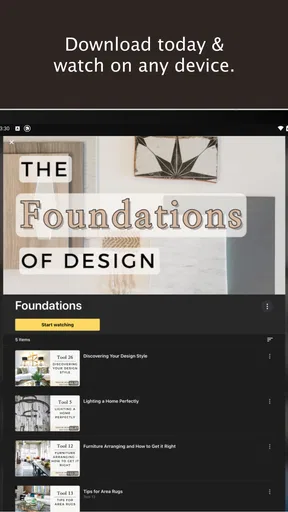
Our Review of Design Sessions
 Analysis by Appyee
I tried Design Sessions as a home-focused art and design app, and my first impression was that it aims to make decorating feel less intimidating. Its purpose is easy to understand: help you make your home more beautiful through guided design ideas rather than leaving you alone with a blank room and a pile of unrelated inspiration. That makes it more approachable than many broad mood-board tools, especially if you want direction instead of endless scrolling.
The app is made by Kinwoven and is available as a free download for Android users. It is suitable for Everyone, works on devices running Android 8.0 or later, and has reached over ten thousand installs. Those details make it a fairly accessible starting point for someone who wants to explore home styling without committing money immediately. At the same time, the presence of in-app purchases means “free” should be understood as free access to begin, not as a promise that every part of the experience costs nothing.
How Design Sessions fits into real decorating decisions
What separates this app from a general art app is its practical focus. I would not open it expecting drawing tools, photo editing, or a professional floor-planning system. Its appeal is closer to having a guided design conversation: you look for ideas, consider how they might suit your space, and gradually form a clearer opinion about what you like.
That distinction matters because many people do not need more images. They need help making decisions. A typical search for living-room inspiration can produce hundreds of attractive rooms, but it rarely explains which details are doing the work. A session-based approach is more useful when you are trying to answer questions such as whether your room needs warmer colors, a calmer arrangement, or a stronger focal point.
I found the concept particularly suitable for early planning. Before buying paint, furniture, or accessories, I could use the app to narrow my direction. That is a better use of it than treating every idea as a shopping instruction. The strongest result is not necessarily a finished room; it is a more confident starting point.
The store information describes it as an art and design app, but the practical experience is firmly centered on home decoration. That makes it relevant to renters refreshing one room, homeowners working through a larger project, and anyone who wants a more intentional look without immediately hiring a designer.
A useful way to approach the sessions
I recommend opening the app with one specific room or problem in mind. “I want a nicer home” is too broad and can make any design tool feel vague. A better goal is “I need my small bedroom to feel less crowded” or “my living room looks disconnected.” With a defined issue, the suggestions become easier to judge and less likely to turn into passive browsing.
Another practical habit is to separate inspiration from commitment. I would save or mentally note ideas that share a common feeling, then look for the repeated elements: perhaps softer contrast, fewer competing colors, more texture, or a clearer arrangement. This prevents the common mistake of copying one attractive image without checking whether it suits the room, the light, or the furniture already owned.
For a realistic everyday scenario, imagine that I am preparing a living room before guests arrive. I do not want to redecorate everything, and I do not know whether the room feels dull because of its color, layout, or accessories. A focused session can help me identify the kind of change to test first. I might rearrange what I already have, remove visual clutter, and then decide whether a small purchase is actually necessary. That workflow gives the app more value than simply using it as a catalog of pretty rooms.
What it does better than ordinary alternatives
The usual alternative is a general visual discovery platform. Those services are excellent for collecting references, but they can become noisy. A search for “cozy neutral living room” may show many styles that use similar words while solving completely different problems. Design Sessions is more appealing when you want a sense of progression and a design decision rather than an infinite feed.
Another alternative is a full interior-design planner. Those tools can be better when exact dimensions, furniture placement, or renovation planning are the priority. If I need to know whether a sofa physically fits through a doorway or whether a cabinet leaves enough walking space, I would choose a measurement-based planner instead. Design Sessions is more useful before that stage, when taste and direction are still unsettled.
Working with a professional designer remains the stronger option for complicated renovations, accessibility needs, structural changes, or a home where several rooms must work together. The app can help me articulate preferences, but it should not replace expert advice where safety, construction, or significant spending is involved.
Free access and the meaning of paid value
The app can be downloaded for free, which lowers the risk of trying it. That is important here because the usefulness of a design guide depends heavily on whether its approach matches your taste. I would install it, explore the available experience, and decide whether it improves my decision-making before considering any purchase.
There are in-app purchases priced from $14.99 to $147.99 per item. That is a wide range, so I would not assume that every user needs the most expensive option or that a paid item automatically represents good value. The sensible question is whether the purchase gives me guidance I will actually use for a current project, not whether it contains more material in the abstract.
The free entry point is valuable for casual users who simply want ideas and a more organized way to think about decorating. Paid value becomes easier to justify for someone actively working through a room and willing to follow a process. If I am only browsing occasionally, I would be cautious about spending. If I am replacing several pieces or trying to settle a style before making purchases, a focused design resource may save me from expensive trial and error.
My advice is to judge a purchase by its effect on decisions. Does it help me choose between two wall colors? Does it stop me from buying accessories that do not belong together? Does it give me a repeatable way to evaluate the room? If the answer is no, more content is unlikely to solve the problem. The free experience should be treated as a test of fit, while paid access should be considered project by project.
Small habits that make the app more useful
One non-obvious advantage of a guided design app is that it can expose indecision. I may think I want a particular style, yet repeatedly prefer rooms with different proportions, materials, or levels of contrast. Instead of forcing myself to follow a label, I can use those reactions as evidence. The app is most useful when I pay attention to what I consistently reject as well as what I admire.
A second useful technique is to compare the app’s ideas with the room in daylight and at night. A color or texture that looks balanced in an image may feel very different under my own lighting. I would take the app as a source of direction, then test the idea in the actual space with inexpensive samples or by rearranging existing objects. This is especially important because visual inspiration cannot account for every room’s windows, shadows, or neighboring colors.
A third trade-off involves restraint. Design inspiration often encourages adding something, but the best improvement may be removing an object, reducing competing patterns, or creating more empty space. I would use each session to ask what the room needs less of, not only what it needs next. That question can turn the app from a shopping trigger into a planning tool.
There is also a benefit in using it before visiting a furniture store. I can establish a short list of qualities I want—such as a certain mood, level of simplicity, or relationship between colors—then judge products against that list. Without a plan, stores can make every attractive object feel essential. A clearer design direction helps me avoid purchases that look good individually but weaken the room as a whole.
Where the experience may feel limited
The biggest limitation is that inspiration is not the same as implementation. A beautiful design concept does not tell me whether my existing furniture can support it, whether the arrangement works in a narrow room, or how much time a change will require. I still need to measure, compare materials, and make practical decisions outside the app.
I would also avoid using it as a substitute for a detailed budget. The listed purchase range tells me that optional paid content can become a meaningful expense, but it does not turn the app into a complete cost estimator for a room. Paint, lighting, delivery, labor, and replacement furniture can quickly matter more than the design guidance itself. Anyone planning a major project should keep a separate spending plan.
Another possible friction point is personal taste. A guided approach is helpful when I want structure, but less appealing if I already have a precise visual identity and only need technical tools. A minimalist who knows exactly what to buy may prefer a simple notes app and a measurement tool. Likewise, someone who wants to draw custom layouts may find a design-session format too indirect.
The app also requires active interpretation. It cannot make the final judgment for me because a room is connected to daily routines. A family room, for example, must cope with movement, storage, and wear, while a decorative image may prioritize appearance. I would keep those practical demands in view rather than copying a look just because it photographs well.
Who is most likely to get real value
I think the best audience is someone who wants to improve a home but feels uncertain about where to begin. That includes first-time decorators, people moving into a new space, and renters who need changes that feel meaningful without becoming a full renovation. The app is also useful for a person who collects inspiration but struggles to turn it into a coherent plan.
It can be especially helpful before a conversation with a partner or family member. Instead of arguing over isolated objects, we can discuss the overall feeling we want and identify which choices support it. That does not remove disagreement, but it gives the discussion a shared reference point.
People who already have a room in progress may also benefit. I would use the app when the basics are present but the result feels unfinished. In that situation, the goal is not to start over; it is to diagnose the missing layer. Perhaps the room needs better balance, a stronger focal point, or fewer unrelated accents. A guided design process can make that diagnosis less random.
I would skip it if my main need is precise spatial planning, detailed renovation management, or professional architectural advice. I would also skip paid content if I am only looking for occasional pictures and have no current decorating decision to make. The free download is easy to test, but the higher purchase price deserves a more concrete reason than simple curiosity.
Device access, maturity, and overall confidence
Design Sessions was released on August 17, 2021, and its current version is 10.200.1. The app has an average rating of 4.9 from over a hundred ratings, with dozens of written reviews, which suggests that the people who have rated it generally respond positively. I treat that as encouraging rather than decisive: design is personal, and a high average cannot tell me whether the approach suits my room or expectations.
The Everyone age rating makes it approachable for households where different family members may want to explore ideas together. The Android 8.0 requirement is also modest enough for many older devices, although I would still keep expectations realistic about screen size. Looking at room inspiration on a phone is convenient, but a larger screen can make comparisons and planning easier when one is available.
The install count, above ten thousand, indicates that it has found an audience without making it seem like a universal household standard. I see that as fitting its role: this is a focused design companion, not a general-purpose social network or a replacement for every decorating tool.
My buy-or-skip verdict
I would recommend trying Design Sessions if I wanted help turning vague decorating ideas into a clearer direction. Its free entry makes experimentation reasonable, and the home-design focus is more purposeful than browsing unrelated inspiration. I especially like it for the stage before shopping, when a little structure can prevent a room from becoming a collection of attractive but disconnected purchases.
I would not recommend paying automatically. Because individual in-app purchases range from $14.99 to $147.99, the right value depends on how seriously I am using the guidance and whether it solves a current problem. Casual browsers should stay with the free experience unless they can identify a specific benefit. Someone actively planning a room can consider paid content, but should compare that cost with the practical tools or professional help they may need later.
My final view is positive but measured: Design Sessions is strongest as a decision-making companion, not as a complete interior-design workstation. It can help me discover what I actually like, organize a room’s direction, and shop with more restraint. It is not the right choice for exact layouts, technical renovation work, or people who already know their style and only need measurements. For everyone else, I would start free, use it with one real room in mind, and only spend when the app has already proved that its guidance changes the way I plan.
Verdict
Strengths of Design Sessions
- Simple interface makes session planning quick and easy.
- Useful structure for organizing design workshops and activities.
- Helps teams keep discussions focused and goal-oriented.
- Supports clearer collaboration between designers and stakeholders.
- Can make brainstorming sessions feel more consistent and productive.
Limitations of Design Sessions
- May feel too specialized for users seeking a general project tool.
- Some methods may require prior design-thinking knowledge.
- Session preparation can still take considerable time.
- Less useful when working alone without a team or facilitator.
- The experience may depend heavily on participants’ engagement.
Similar Picks in This Category
View All
Canva: AI Photo & Video Editor
Canva4.8

PENUP – Drawing-sharing SNS
Samsung Electronics Co., Ltd.4.5

Crafto
Kutumb App4.6

Sketchbook
Sketchbook4.1

ibis Paint X
ibis inc.4.5

Adobe Express: AI Photo, Video
Adobe4.6
Frequently Asked Questions
What is Design Sessions and who is it for?
Design Sessions is an app focused on helping users explore design ideas, learn from creative content, and organize or participate in sessions related to visual design. It may be useful for students, professional designers, freelancers, creative teams, and anyone interested in improving their design knowledge. Before downloading, consider whether its available topics and session format match your experience level and creative goals.
What features can I expect from Design Sessions?
The app is designed around discovering design-related sessions and engaging with educational or inspirational material. Depending on the available version and region, users may find session listings, design resources, speaker or creator information, saved content, and ways to follow upcoming activities. Feature availability can change over time, so checking the current store description and screenshots is recommended before installation.
Is Design Sessions free to download and use?
Design Sessions may be available as a free download, but some content, sessions, or advanced features could require payment, registration, or an in-app purchase. Users should review the pricing information shown on the Google Play Store or Apple App Store before committing. Also check whether subscriptions renew automatically and whether a payment method is required for full access.
Does Design Sessions require an account or internet connection?
An account may be required if the app lets users register for sessions, save content, receive updates, or interact with designers and other participants. An internet connection is generally expected for loading session information, streaming content, and synchronizing account data. Some previously loaded material might remain accessible offline, but users should not assume that every feature works without connectivity.
Is Design Sessions safe to install on Android and iOS?
The safest way to install Design Sessions is through its official listing on Google Play or the Apple App Store rather than downloading an unofficial APK or modified version. Before installing, review the developer name, permissions, privacy policy, recent user feedback, and last update date. Avoid granting unnecessary access, and remember that privacy practices may differ between Android and iOS versions.
